

Download 7 Data Recovery Suite Free Edition – Secure, Fast & Reliable File Recovery for Windows
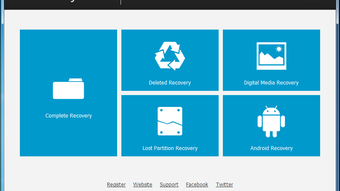
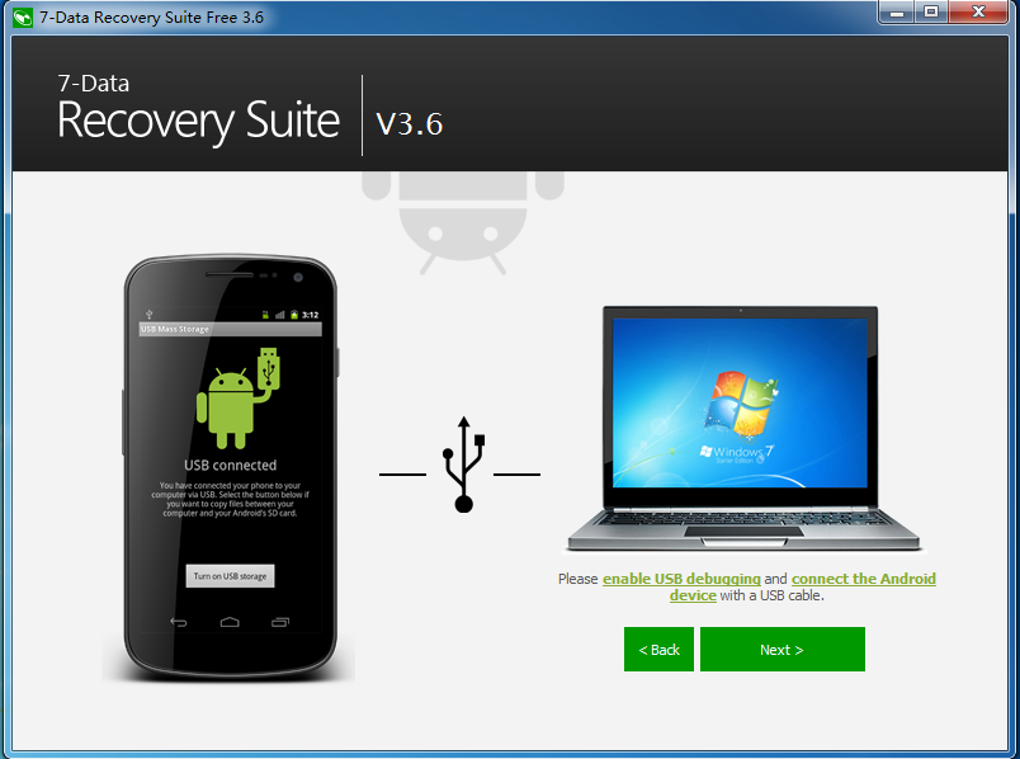
Losing important files due to accidental deletion, formatting, or hardware failure can be devastating. With 7-Data Recovery Suite Free Edition, you can recover lost documents, photos, videos, and more from hard drives, SSDs, USB drives, SD cards, and other storage devices. This powerful yet user-friendly tool offers four specialized recovery modes to handle different data loss scenarios—Deleted File Recovery, Complete Recovery, Lost Partition Recovery, and Digital Media Recovery.
Whether you’ve emptied the Recycle Bin, reformatted a drive, or suffered a system crash, this software helps you retrieve your data quickly and securely. The free version allows recovery of up to 1GB of files, making it ideal for occasional users. With a clean interface, real-time scanning, and file preview support (for files under 80MB), 7-Data Recovery Suite is a must-have utility for every Windows user.
Comprehensive Data Recovery with Four Specialized Modules
When data loss strikes, time is of the essence. The 7-Data Recovery Suite Free Edition stands out by offering four distinct recovery modules, each designed to tackle a specific type of data loss. The first, Deleted File Recovery, is perfect for users who accidentally deleted files from their desktop, documents folder, or even bypassed the Recycle Bin using Shift + Delete. This mode scans the file system for remnants of deleted entries and retrieves them before they’re overwritten. The second module, Complete Recovery, comes into play when the drive has been formatted or corrupted. It performs a deep scan across the entire storage volume to locate and restore lost data, even if the partition table is damaged. The Lost Partition Recovery feature is one of the most powerful tools in the suite. It’s designed for situations where a partition has been deleted, the MBR (Master Boot Record) is corrupted, or the disk has been repartitioned. This mode can reconstruct lost partitions and recover files stored within them. For multimedia enthusiasts, the Digital Media Recovery module is a game-changer. It specializes in recovering images, videos, and audio files from USB drives, SD cards, and memory sticks—commonly used devices that are prone to accidental formatting or corruption. What makes this software truly exceptional is its ability to preserve original folder structures during recovery. This ensures that recovered files are organized just as they were before the loss. Additionally, the interface allows users to filter files by type, size, or name, and preview them directly within the app. While the free version limits recovery to 1GB, the robustness of these four modules makes it a top-tier choice for anyone needing reliable file recovery on Windows.Easy Installation, Intuitive Interface, and Seamless Performance
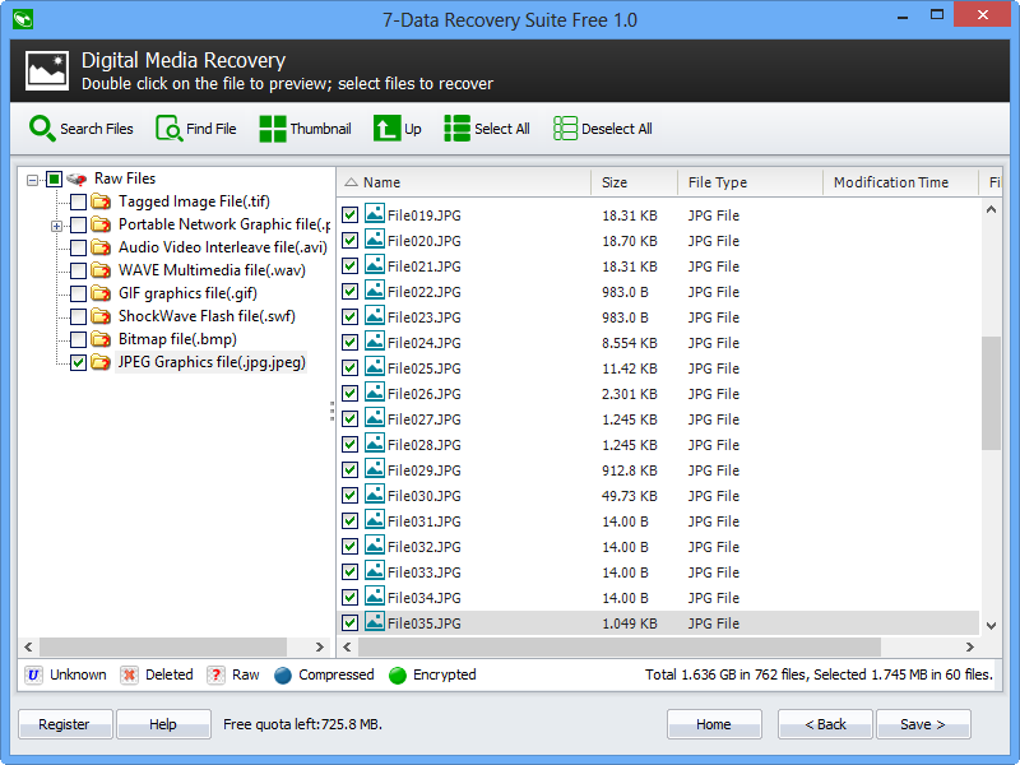
Getting started with 7-Data Recovery Suite Free Edition is a breeze. The installer is lightweight and includes standard setup options, guiding users through the process with minimal friction. One critical tip the software provides is to avoid installing the app on the same drive you intend to recover data from. This precaution helps prevent overwriting the very files you're trying to restore. For users who prefer portability, a portable version is available—ideal for running the tool directly from a USB flash drive without installation. The interface is clean, modern, and highly intuitive. Upon launching, users are greeted with a central dashboard featuring four clearly labeled buttons for each recovery mode. Selecting a mode prompts you to choose the target drive—whether it’s an internal hard drive, external SSD, or a memory card. The scanning process begins immediately and runs efficiently, with progress bars and estimated completion times. During scanning, the software displays real-time results, showing recoverable files with their names, sizes, types, and modification dates. One of the standout features is the ability to preview files before recovery. You can view images in thumbnail mode, play short audio clips, and open text files directly in the app. However, keep in mind that file previews are only supported for files under 80MB. Larger files may not display correctly. The app also color-codes files—blue for deleted, green for raw, red for encrypted—making it easy to identify file status at a glance. Once you’ve selected the files you want, simply choose an output folder and initiate the recovery. The entire process is straightforward, even for non-technical users.Pros, Cons, and Frequently Asked Questions
- Pros:
- Four specialized recovery modes for different data loss scenarios
- Supports recovery from hard drives, SSDs, USB drives, SD cards, and more
- Preserves original folder structure and file metadata
- Intuitive, user-friendly interface with file preview capability
- Portable version available for on-the-go recovery
- Free version allows recovery of up to 1GB of data
- Cons:
- Free version limits recovery to 1GB—pro version required for larger recoveries
- File previews not available for files larger than 80MB
- Occasional failure to detect certain document types (e.g., complex Office files)
- Limited support for Mac and Linux (Windows-only)
- Advanced recovery features locked behind paywall
Frequently Asked Questions (FAQ)
Can I recover files after emptying the Recycle Bin?
Yes, 7-Data Recovery Suite Free Edition can recover files even after the Recycle Bin has been emptied. The software uses advanced scanning techniques to locate deleted file entries on the disk before they are overwritten.
Is the software safe to use on my primary drive?
For best results, avoid installing the software on the same drive you’re recovering data from. However, running it from a USB drive or another partition is perfectly safe and recommended.
Can I recover files from a formatted hard drive?
Yes, the Complete Recovery mode is specifically designed to recover data from formatted drives. As long as the data hasn’t been overwritten, recovery is possible.
Does the free version support all recovery modes?
Yes, the free version includes all four recovery modes. However, the total recoverable data is limited to 1GB. For larger recoveries, you’ll need to upgrade to the Pro version.
Is there a Mac or Linux version available?
Currently, 7-Data Recovery Suite is only available for Windows. There is no official version for Mac or Linux, though similar tools exist for those platforms.







